

Most coaches don't lose neurodivergent clients because the coaching is bad. They lose them because the packaging around it quietly excludes them. A live session with no agenda sent ahead. A "just journal about it" homework prompt with no structure. A group call where the fast talkers dominate and the processing-heavy people go silent for 60 minutes and never come back.
The fixes are almost always small. You don't need a clinical background or a special certification to run accessible coaching programs for neurodiversity. You need a few format options, some scripts that reduce ambiguity, and a couple of signals to tell you whether what you changed is actually working.
This piece covers the parts of a program that break most often — assignments, live facilitation, and recordings — and gives you the low-effort versions of each.
Start with the assignment, because that's where most drop-off is invisible
Homework is where neurodivergent clients silently disengage. Not dramatically — they just stop doing it, and because most coaches track completion loosely, nobody notices until the client has already checked out.
The usual failure looks like this: a coach gives an open-ended prompt — "reflect on what's holding you back and come ready to discuss." For a client with ADHD or executive-function differences, that prompt has no entry point, no time boundary, and no clear "done." So it sits. The next session opens with "did you get a chance to do the reflection?" and now there's shame layered on top of the executive-function wall. Two of those in a row and the client starts finding reasons to reschedule.
The fix isn't lowering the bar. It's offering the same learning objective through more than one format.
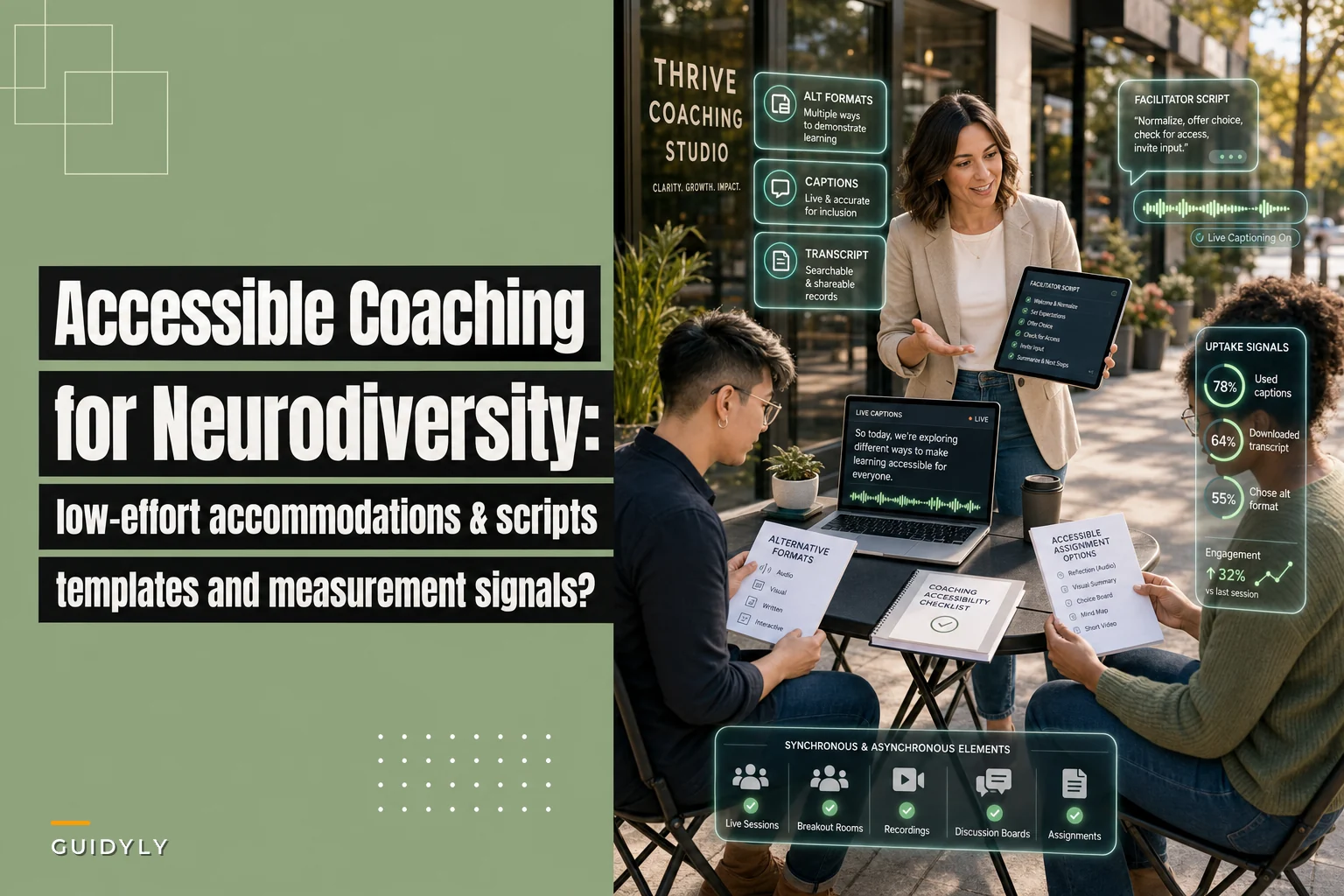
Alternative assignment formats (pick 2–3 per assignment, let the client choose)
| Format | What it looks like | Best for | Effort to build |
|---|---|---|---|
| Voice note | Client records a 2-min voice memo answering 3 fixed questions | Clients who freeze at a blank page | Low |
| Fill-in scaffold | A doc with sentence stems: "The situation was . I noticed I ." | Executive-function support | Low |
| Checklist action | "Do these 3 things, tick each one" — no reflection required | Task-avoidant weeks | Very low |
| Photo/artifact | Client sends a screenshot or photo of the thing they did | ADHD, low-writing-motivation | Very low |
| Structured written | Standard reflection doc with word count guidance | Clients who like writing | None (default) |
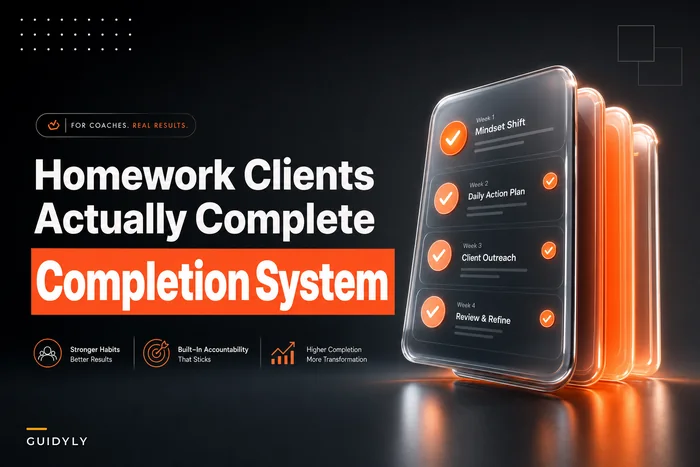
All five hit the same objective. You're not creating five different assignments — you're creating five doors into one assignment. This connects directly to how you sequence and time work generally; the taxonomy in Homework Clients Actually Complete pairs well here, because format flexibility only works if the timing and accountability scaffolds underneath it are solid.
One pattern worth naming: the "choose your format" framing works better when it's presented as normal, not as an accommodation. If you say "here's the accessible version," some clients won't take it because they don't want to be the person who needs the special version. If you say "pick whichever of these fits your week," everyone uses it and nobody feels flagged.
Facilitator scripts: reduce ambiguity, protect processing time
Live sessions — especially group ones — are where sensory load and processing differences hit hardest. The most common mistake coaches make is treating silence as disengagement and filling it. For a lot of neurodivergent participants, that silence is the work. Talk over it and you've cut their processing time in half.
Never miss a session or detail again.
Guidyly helps you book, manage, and track every coaching session efficiently.
- Centralized session scheduling
- Automated client reminders
- Progress tracking & notes
No credit card required
Scripts help because they remove the improvisation that creates ambiguity. These are the ones that carry the most weight.
Opening a group call (sets predictability): > "Here's what we're doing today, in order: [item one], [item two], [item three]. We'll finish by [time]. If you want to contribute, you can talk, drop it in chat, or send it to me after — all three count the same."
That last sentence does a lot of work. When you legitimize chat and async contribution out loud, you stop rewarding only the fast verbal processors.
Handing off a question without putting anyone on the spot: > "I'm going to give everyone about 90 seconds to think before anyone answers. No rush — I'll watch the time."
Cold-calling is one of the fastest ways to lose a neurodivergent participant. The think-time pause removes the performance pressure and, honestly, improves the quality of answers from everyone in the room.
Closing the loop so nobody leaves confused: > "Before we end: your one action this week is [specific thing]. I'll also put it in writing in the follow-up. You don't have to remember it right now."
"You don't have to remember it right now" is a small line and it matters. Working-memory load is real, and reducing it costs nothing.
A note on what NOT to script
Don't script empathy or personal reactions — that reads as robotic and clients feel it immediately. Script the structural moments: openings, transitions, question hand-offs, closings. Keep the human parts human.
Captioning and transcript workflows that don't eat your week
Coaches avoid captions and transcripts because they picture hours of manual cleanup. In practice the workflow is much lighter if you set it up once and let it run.
-
Record with auto-captions on. Zoom, Meet, and most platforms generate live captions now. Turn them on by default — it's a toggle, not a project.
-
Auto-generate the transcript immediately after the call. Don't clean the whole thing.
-
Clean only the summary and action items, not the full transcript. Nobody reads a 45-minute raw transcript. What they use is the six-line summary and the action list. Fix those for accuracy; leave the rest as-is with an "auto-generated, may contain errors" note.
-
Post both — the raw transcript for anyone who wants to read instead of re-watch, and the cleaned summary for everyone.
-
Store it where the client already looks, not in a separate portal they'll forget exists.
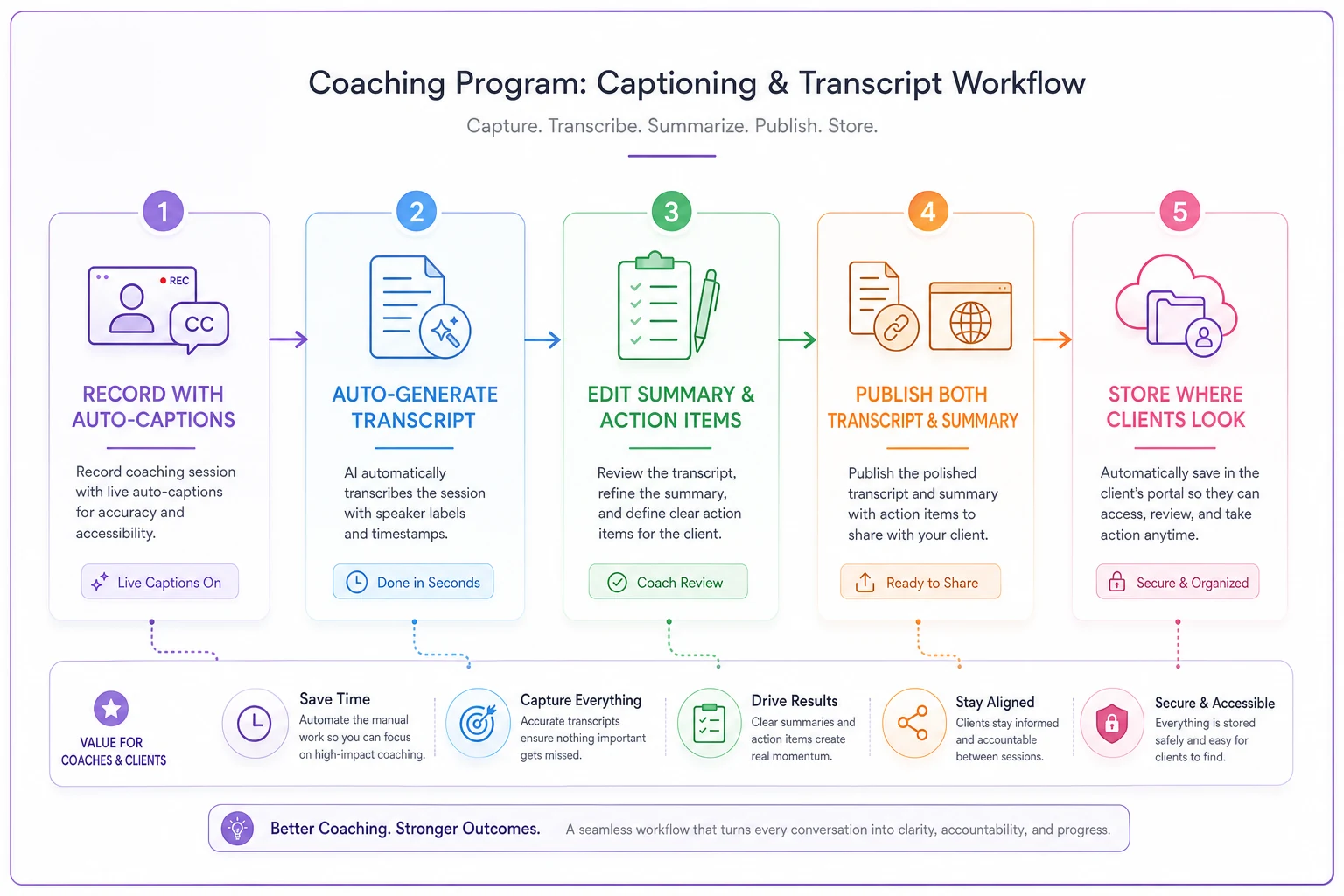
A quick diagram like this makes the handoff steps obvious without adding process friction.
The mistake most people make is treating transcript cleanup as all-or-nothing. The high-value portion is the summary and the actions; the rest can stay rough and still be genuinely useful to someone who processes better by reading than by listening. For live sessions, the async transcript also becomes a real accommodation for people who can't attend synchronously — a second, lower-pressure way to consume the same material.
The low-effort accessibility fixes that punch above their weight
These take under ten minutes each and remove the biggest friction points.
-
Send agendas 24 hours ahead. Predictability lowers anxiety load. This one change quietly improves attendance for people who need to prepare mentally.
-
Put the "one action" in writing every time. Verbal-only instructions fail working memory.
-
Offer camera-optional as a stated default. For some clients, being on camera consumes the exact attention they'd otherwise spend on the coaching.
-
Use plain sentence structure in written materials. Short sentences, one idea each. Not "dumbed down" — just unambiguous.
-
Break assignments into steps with checkboxes instead of paragraphs of instruction.
-
Give a "how to contact me between sessions" note with clear boundaries around channel and response time. Uncertainty about how or when to reach you is its own barrier.
-
Avoid time-pressured live activities unless the pressure is genuinely the point. Timed brainstorms disadvantage processing-heavy participants.
-
Name your session structure once and keep it consistent week to week. Novelty every session is exhausting for people who rely on routine.
None of these require you to know a client's diagnosis. That's intentional. The best accessibility work is universal by default — you build the program so the accommodations are just how it runs, and clients opt into what they need without disclosing anything.
Measuring whether it's actually working (uptake signals, not vibes)
This is the part almost everyone skips, and it's why "we made our program more accessible" stays a feeling instead of a fact. You need a small set of uptake signals for both your synchronous and asynchronous elements. Not a research study — just enough to see movement.
Synchronous signals to watch:
-
Chat participation rate vs. verbal participation (are the quiet contributors using the channel you legitimized?)
-
Attendance consistency for clients who previously ghosted
-
How often the think-time pause produces contributions from people who were previously silent
Asynchronous signals to watch:
-
Assignment completion split by format — which doors are people actually walking through?
-
Transcript/summary open rates (are people using the read-instead-of-watch option?)
-
Between-session message initiation (do clients reach out once the contact-ambiguity is gone?)
The most useful single number is completion rate broken out by assignment format. If you offer voice notes and 60% of your neurodivergent clients suddenly complete via voice when they were at 20% on written prompts, you've just proven the format flexibility works — and you know which door to keep the widest.
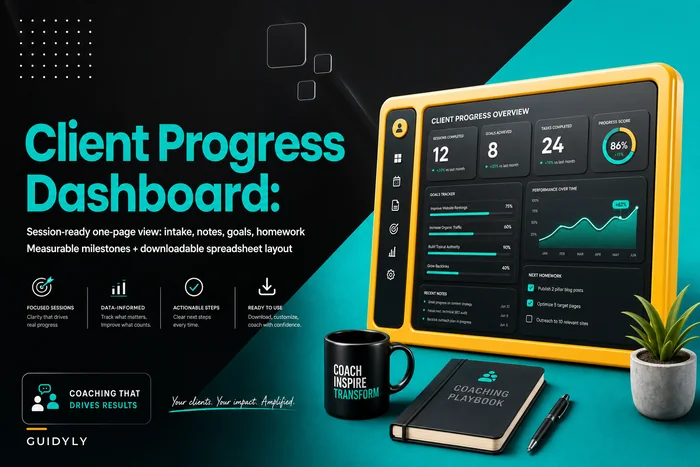
A one-page view that tracks these signals per client keeps this honest and fast. The structure in the one-page client progress dashboard is a good place to add a "preferred format" and "async engagement" line so you're not running a separate spreadsheet just for this.
A real scenario
A solo leadership coach runs a small 8-person cohort program twice a year. In the first two cohorts, three participants consistently disengaged after week three — all of them mentioned in exit notes some version of "I couldn't keep up with the live pace" or "the reflections felt like homework I could never finish."
For the third cohort she changed three things only: agendas went out the day before, every reflection assignment got a voice-note and a fill-in-scaffold option alongside the written version, and she added the 90-second think-time pause before group questions. She also started tracking completion by format.
The results weren't dramatic in a marketing-headline way, but they were real. Assignment completion across the cohort went from roughly half the group finishing most weeks to most of the group finishing most weeks. Two participants who'd historically gone silent in group calls started contributing — almost entirely through chat, which confirmed that the channel legitimization was doing the work. Her end-of-cohort completion rate ticked up noticeably, enough that she stopped over-enrolling to hedge against drop-off.
The build cost her maybe two hours total, mostly making the scaffold docs once and reusing them.
When this makes sense — and when it doesn't
When to do the full version: group programs, cohorts, and any longer engagement where drop-off compounds. The more people and the longer the timeline, the more these format options pay off, because you're removing failure points that quietly stack up.
When to keep it minimal: short 1:1 engagements where you can just ask the client directly how they prefer to work. For a 4-session sprint with one person, you don't need a format menu — you need one conversation in session one. Building the whole system for a single client is over-engineering.
Who should NOT treat this as clinical work: all of us. None of this is diagnosis, treatment, or accommodation in the legal or medical sense. It's good program design. If a client needs formal accommodations tied to a diagnosis, that's a different conversation with different responsibilities — refer appropriately and don't improvise.
The through-line
Accessible program design for neurodivergent clients isn't a separate track you bolt on. It's mostly the removal of ambiguity — clearer assignments with more than one entry point, live sessions that protect processing time and legitimize non-verbal contribution, recordings that give people a second way in. Build those once, watch the uptake signals, and keep the doors that people actually use.
Coaches who do this well aren't running a "special" version of their program. They just built the normal version to work for more of the brains in the room — and then checked the numbers to make sure it did.
Coaches who do this well aren't running a "special" version of their program. They just built the normal version to work for more of the brains in the room — and then checked the numbers to make sure it did.
Ready to elevate your coaching business?
Join hundreds of coaches using Guidyly to save time, enhance client engagement, and grow their practice.