

Most coaches hit the same wall when they try to raise program completion: the only lever they know how to pull is more contact. More check-ins, more calls, more Voxer threads, more "just following up!" messages typed out at 9pm. Completion nudges up a little, but so does your calendar, and now you've built a program that only works if you personally babysit it.
Completion is mostly an asynchronous problem. What happens between sessions decides whether someone finishes — not what happens during them. And the between-session space is exactly where most coaches have the least visibility and the least structure.
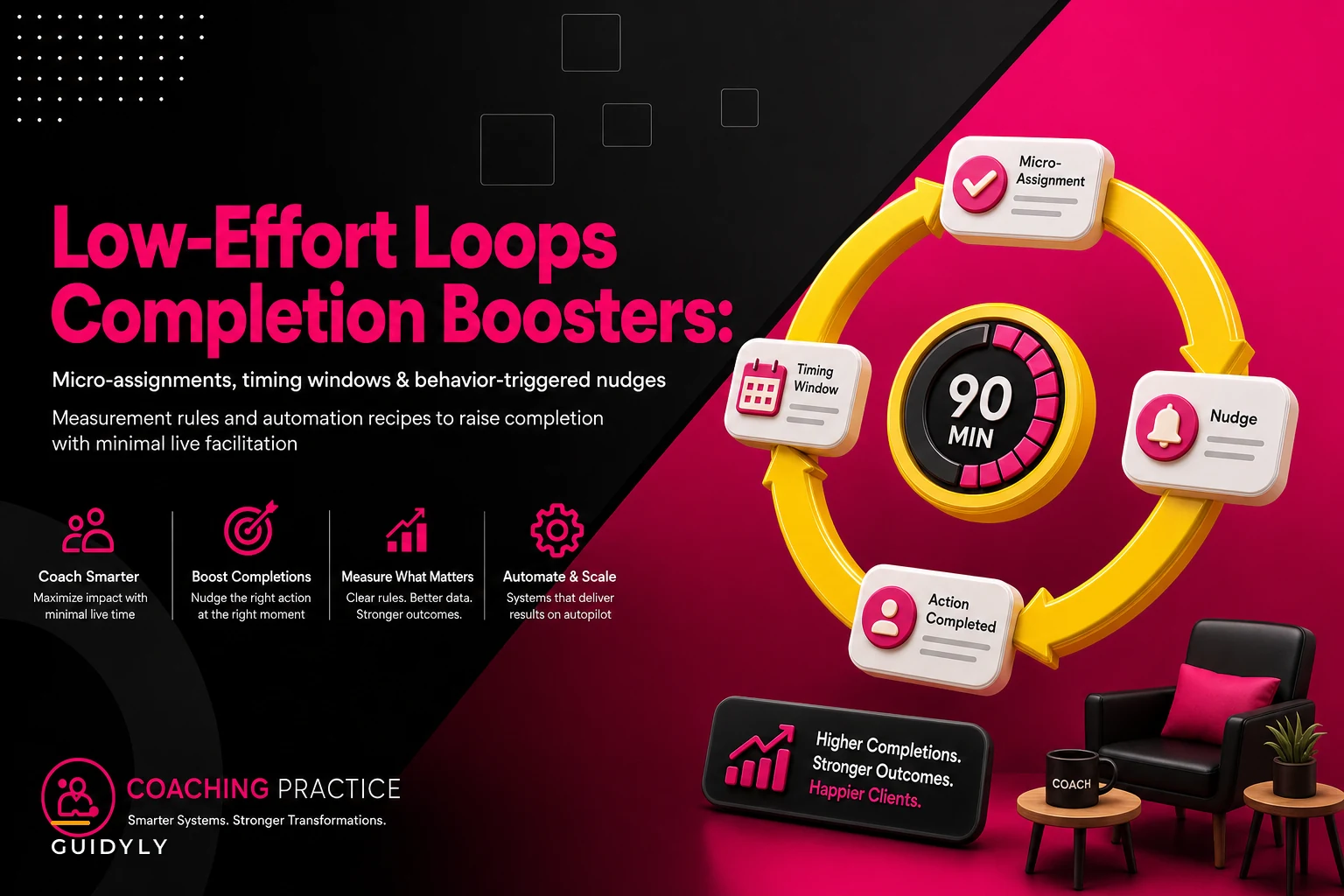
This is a recipe guide. Not theory — actual loops you can assemble: assignment type, timing window, nudge trigger, and the measurement rule that tells you whether the loop is working. Good asynchronous engagement design coaching comes down to building the scaffolding once, letting it run, and spending your human attention only where automation genuinely can't help.
Why "add more facilitation" quietly fails
Here's a pattern that shows up constantly across coaching practices that are stuck. Completion sits around 40–55% for self-paced modules. The coach panics, adds a weekly live "accountability call," and completion ticks up to maybe 60%. Feels like progress.
Then you do the math. That call is 60–90 minutes every week, plus prep, plus the two reschedule emails. For a cohort of 12, you've added somewhere in the range of 6–8 hours of live load per month to recover maybe 5–10 percentage points of completion — and only for the people who attend the call, which is usually the same crowd that was going to finish anyway.
Live facilitation rescues the already-engaged. It almost never reaches the person who went quiet on day 4 and is now too embarrassed to come back. That person needs a different kind of intervention, and it needs to arrive before they've mentally dropped out — which means it has to be automatic, because you won't notice in time manually.
The clients most at risk of not finishing are precisely the ones who won't show up to your extra live touchpoints. So the live touchpoint is the wrong tool for the exact problem it's supposed to solve.
The anatomy of an engagement loop
Every loop has four parts. Get all four right and it runs itself. Miss one and the whole thing leaks.
Never miss a session or detail again.
Guidyly helps you book, manage, and track every coaching session efficiently.
- Centralized session scheduling
- Automated client reminders
- Progress tracking & notes
No credit card required
-
The assignment — what you're actually asking someone to do, sized correctly.
-
The timing window — when it opens, when it's "due," and how long the window stays open.
-
The trigger — what fires a nudge, and what kind of nudge, based on observed behavior.
-
The measurement rule — how you define "complete" so you're not guessing.
Most coaches have the first part and improvise the other three. That's why their programs feel inconsistent. One client gets three reminders, another gets none, and there's no way to know which modules are actually working because "done" means something different every time.
If you want the deeper breakdown on sizing the assignments themselves — difficulty, cognitive load, and the taxonomy of what to assign when — that's covered in our piece on assignment taxonomy and timing rules for homework clients actually complete. This article assumes you've got the assignment part roughly handled and focuses on the loop around it.
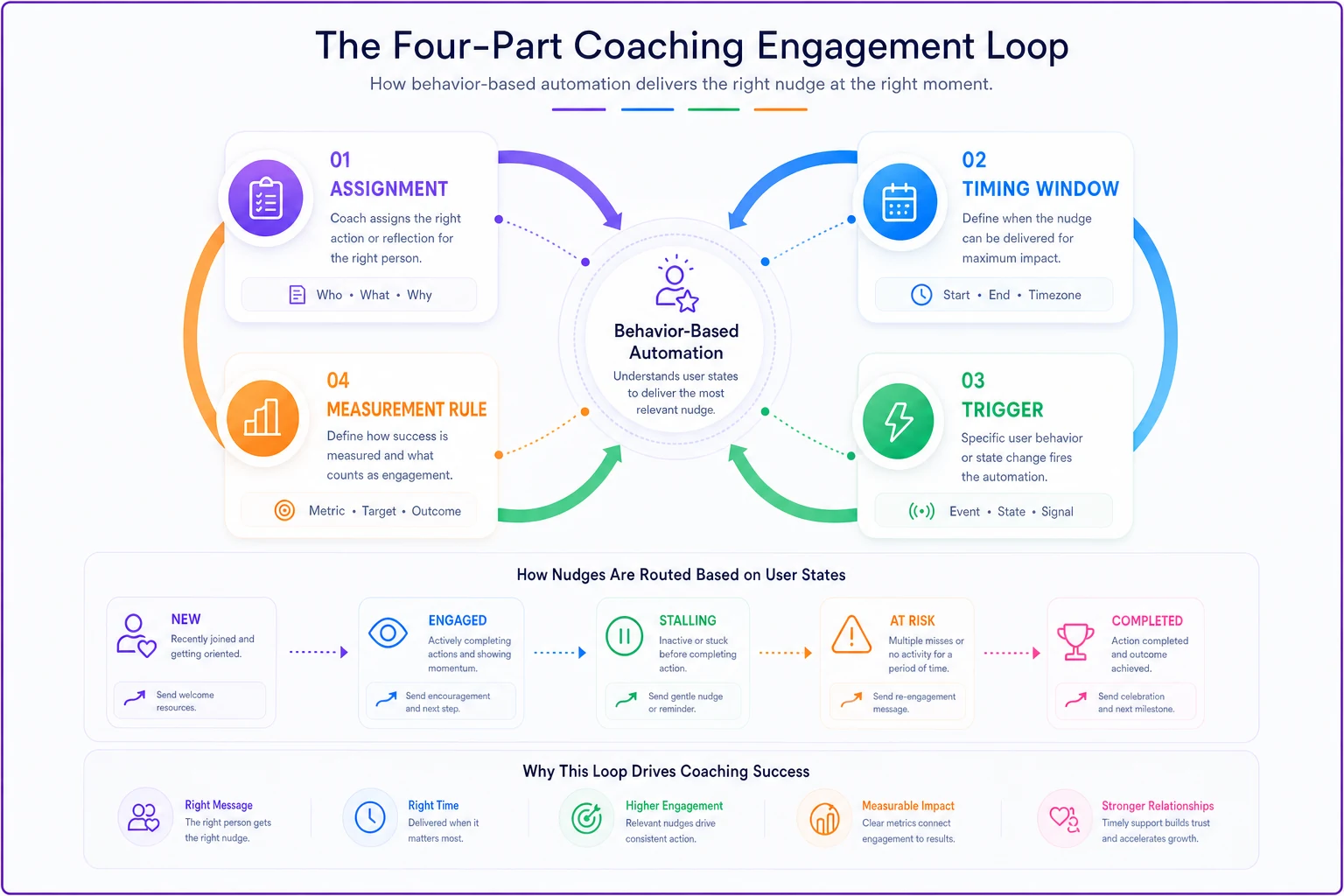
Use this visual as a checklist when you're building each loop.
Assignment types, matched to effort and friction
Not every assignment belongs in an async loop. Some are too heavy to complete alone; some are too trivial to bother tracking. The trick is matching the type of assignment to the amount of friction a client can absorb without a human present.
| Assignment type | Typical completion unassisted | Best timing window | Nudge sensitivity |
|---|---|---|---|
| Micro-reflection (1–3 sentences) | 70–80% | Same day, 24h window | Low — one soft nudge max |
| Single structured worksheet | 55–65% | 48–72h window | Medium |
| Audio/video response (record yourself) | 40–50% | 3–5 day window | High — friction is emotional, not time |
| Multi-step practice task ("try this at work 3x") | 30–45% | Rolling, 7-day window | High, but spaced |
| Peer-visible post (shared with cohort) | 60–70% | 48h window | Low — social pressure does the work |
The pattern worth noticing: effort and emotional exposure matter more than time. A 90-second video response has a lower completion rate than a 20-minute worksheet, because the barrier isn't minutes — it's self-consciousness. That changes how you nudge. For a worksheet you remind people it exists. For a video you reduce the stakes ("rough and unpolished is fine, nobody's grading this").
A quiet mistake a lot of coaches make: assigning the heavy stuff — multi-step practice tasks — with the same single reminder they use for a one-line reflection, then being confused when the hard assignments crater. The heavier the task, the more the loop has to carry it.
Timing windows: the part everyone gets wrong
The default instinct is "assign it after the session, due before the next one." That's a seven-day open window, and seven-day windows are where completion goes to die.
What happens in a seven-day window: the client intends to do it "this weekend," the weekend fills up, Monday feels too late, and by Wednesday it's psychologically expired even though the window is technically still open. Long windows signal low priority. They also remove the one thing that actually drives async completion — a near-term, specific moment.
-
Open the window immediately, close it meaningfully before the next session — not at the next session. Close it 24 hours prior and you create a real deadline and you get to see submissions before you meet.
-
Shorter windows beat longer ones for light tasks. A 24-hour window on a micro-reflection outperforms a 5-day window because urgency and ease are aligned.
-
Heavy tasks need a start nudge, not just a due nudge. The failure point on a multi-step task isn't the deadline — it's never starting. Fire a nudge that says "spend 5 minutes beginning this today" at the front of the window.
Stagger due times across the cohort so your review load stays manageable and responses remain thoughtful.
The non-obvious one: stagger the windows across the cohort by assignment weight so your review load stays flat. If everything is due the same night, you get a wall of submissions and nothing gets a thoughtful response. Spread due times and your async review becomes a steady trickle instead of a Sunday-night pileup.
Triggered nudges: behavior-based, not calendar-based
Calendar reminders ("your assignment is due tomorrow") treat everyone identically. That's why they stop working — the client who finished Tuesday gets the same "due tomorrow!" ping as the one who hasn't opened it, and both learn to ignore you.
Behavior-triggered nudges are the upgrade. The trigger isn't a date; it's what the person did or didn't do.
-
Opened, not started → a low-friction "pick one small piece to do first" message.
-
Started, not finished → a "you're halfway, finish the last part" message that references where they stopped.
-
Not opened, window halfway gone → a re-motivation nudge tied to why the task matters, not that it's late.
-
Not opened, window nearly closed → a permission-to-shrink message: "No time? Do the 2-minute version instead."
-
Completed → a short acknowledgment that closes the loop and reinforces the behavior.
That last one gets skipped constantly, and it's a mistake. Completion without acknowledgment feels like shouting into a void. People do the next assignment partly because the last one was seen.
A client who's behind doesn't need a reminder — they need a smaller offer. The best recovery nudge isn't "finish your homework." It's "do a tiny version so you don't break your streak." Behavior triggers let you send the right one automatically instead of guessing who needs what.
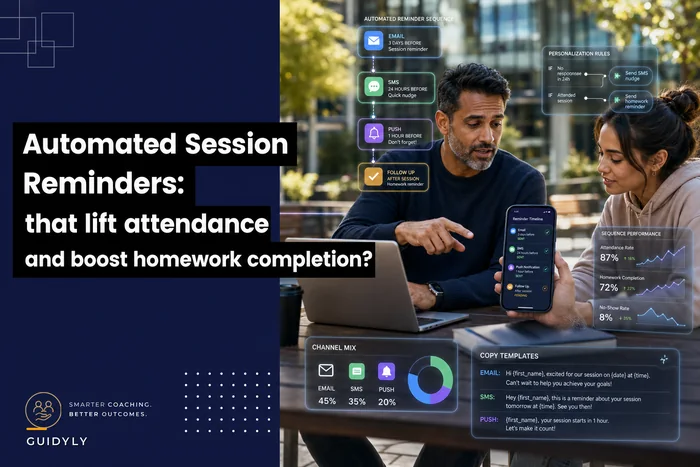
Reminders and nudges share a lot of mechanical overlap with session attendance, and there's a fuller treatment of the sequencing logic in our breakdown of automated session reminders that increase attendance and homework completion. The engagement loops here extend that same thinking into the between-session gaps.
Measurement rules: define "done" or you'll fly blind
You cannot improve a loop you can't measure, and "completion" is uselessly vague until you write the rule down.
-
Binary — submitted or not. Fine for reflections and worksheets.
-
Threshold — completed at least the core portion (e.g., answered 3 of 5 prompts). Good for longer tasks where partial counts.
-
Quality-gated — submitted and meets a minimum bar. Use sparingly; it adds review load and most async tasks don't need it.
Pick one per assignment and stick to it, because inconsistent definitions make your completion numbers meaningless across modules. If "done" means submitted for module 2 but submitted-and-good for module 5, you can't tell whether module 5 is harder or just graded tougher.
-
Completion rate — of everyone assigned, what fraction hit "done."
-
Time-to-start — hours between window opening and first interaction. This is the early-warning metric. Time-to-start creeping up predicts a completion drop before the drop shows up, which gives you room to adjust the nudge or the assignment weight.
The practical move most coaches miss: review completion by assignment, not by client. Low completion clustered on one specific worksheet is a design problem — the task is too heavy, the instructions are unclear, or the window is wrong. Low completion spread evenly across one client is an engagement problem. Different problems, different fixes, and you can't tell them apart without looking at the data by assignment.
Five ready-to-run automation recipes
These are the loops assembled. Each one is: assignment → window → triggers → measurement. Set them up once per program.
Recipe 1 — The daily micro-reflection Assignment: one-sentence reflection. Window: 24 hours. Triggers: one soft nudge at hour 18 if not submitted; acknowledgment on completion. Measurement: binary. Use for: building a habit in the first two weeks of a program.
Recipe 2 — The worksheet with a start-nudge Assignment: single structured worksheet. Window: 72 hours, closes 24h before next session. Triggers: start-nudge at hour 4 ("open it now, do one box"); halfway nudge if opened-not-finished; shrink-offer near close. Measurement: threshold (core section complete). Use for: standard module work.
Recipe 3 — The low-stakes video response Assignment: 60–90 second recorded answer. Window: 5 days. Triggers: emotional-friction nudges emphasizing "rough is fine"; a mid-window social proof nudge ("6 people have posted theirs"). Measurement: binary. Use for: deepening reflection and building cohort familiarity.
Recipe 4 — The spaced practice task Assignment: apply a skill 3x in real life over a week. Window: 7 days, rolling. Triggers: a check-in on day 2 ("tried it once yet?"), day 4, day 6 — each asking for progress, not completion. Measurement: threshold (2 of 3 attempts logged). Use for: behavior-change work where the point is reps, not output.
Recipe 5 — The peer-visible commitment Assignment: post a goal or result where the cohort can see it. Window: 48 hours. Triggers: minimal — one reminder; the social visibility carries most of the weight. Measurement: binary. Use for: mid-program momentum, when the group dynamic is strong enough to pull.
One honest note on where this becomes real work: running five triggered, behavior-based loops across a cohort by hand is genuinely impossible — you'd spend more time tracking who opened what than you'd ever save. This is the one place where workflow software with behavior-based automation earns its keep. The system watches opens, starts and submissions, fires the right nudge for each state, and hands you a clean by-assignment completion view. You design the loop; it runs the loop. The value isn't the automation for its own sake — it's that you can finally run good engagement design at scale without personally being the engine.
A real scenario
A solo leadership coach running a 6-week async cohort of 14 was sitting at around 48% module completion. Her only intervention was a weekly group call, which pulled the same 5–6 reliable attendees every time. The quiet half of the cohort kept getting quieter.
She rebuilt the program around three loops instead of one call: a daily micro-reflection for the first two weeks, a worksheet-with-start-nudge for core modules, and a spaced practice task in weeks 4–6. She switched every reminder from calendar-based to behavior-based, and added the shrink-offer nudge near each window's close.
Over the next two cohorts, completion moved into the high 60s — roughly a 15–20 point lift. The part she cared about more: her live time actually went down, because she dropped one of the two weekly calls once the loops were carrying the between-session work. The clients who used to vanish were now submitting the 2-minute shrunk versions instead of disappearing entirely, which kept them in the program long enough to re-engage.
Nothing exotic happened there. She just stopped using live hours to solve an async problem.
When this makes sense — and when it doesn't
This works well when: your program has repeatable assignments across clients, your cohorts are large enough that manual tracking is a real burden, and completion — not raw contact hours — is what you're actually trying to move.
This is a bad fit when: your work is deeply bespoke session-to-session with no reusable assignment structure, or your clients are senior enough that automated nudges read as patronizing. A C-suite client getting a "you're halfway, finish the last part!" ping will not love it. For that tier, use the measurement rules and timing logic, but deliver nudges through a human assistant or soften them considerably.
Who should not bother: anyone with a handful of clients and no repeatable curriculum. If you're running three fully custom engagements, the loop design overhead isn't worth it — just text them. The ROI on asynchronous engagement design coaching shows up at scale, where the gap between "I personally nudge everyone" and "the system does" becomes the difference between a program you can grow and one capped by your calendar.
The real shift
Completion isn't a motivation problem and it isn't fixed by caring harder. It's a design problem that lives in the hours you're not in the room. Once you treat the space between sessions as something you can actually engineer — specific assignment types, tight windows, nudges that respond to real behavior, and a clear rule for what "done" means — completion stops depending on your personal energy and starts depending on a structure that runs whether you're online or not.
Build the loops once. Measure by assignment, not vibes. Reserve your live hours for the conversations only a human can have. That's how you raise completion without buying it back with your calendar.
Ready to elevate your coaching business?
Join hundreds of coaches using Guidyly to save time, enhance client engagement, and grow their practice.